 59785a020d
Removed env‑driven debug scaling (ScaleMode, GetScaleMode, GetScaleBias, SHADPS4_FONT_SCALE_*). Added FontState::is_otf_cff and storing of external vmetrics (ext_ascent, ext_descent, ext_lineGap). Introduced ComputeScaleExtPoint, ComputeScaleExtPixel, IsEmProfileExternalFont and ComputeScaleExtForState to choose ascender‑ vs EM‑based scaling per font (system fonts + CFF → ascender; selected TTF profiles → EM). Updated callers (sceFontGetCharGlyphMetrics, glyph cache, layout, renderer, clones, scale setters) to use ComputeScaleExtForState instead of ComputeScale / ComputeScaleExt. System font handling Added ReportSystemFaceRequest helper to centralize “attach system font or log why not” and avoid repeating the logic at each call site. Slightly adjusted when system_requested is set and how fallback/system attach errors are reported. Horizontal layout sceFontGetHorizontalLayout now logs invalid parameter/handle and, when an external face is present, uses that face’s vmetrics and the per‑state scale to compute baselineOffset and lineAdvance. (Fallback still uses the simple scale_h‑based approximation.) Glyph rendering (horizontal) Reworked sceFontRenderCharGlyphImageHorizontal: Resolves effective pixel scale from the attached style frame + point/pixel API via ResolveStyleFrameScale. Uses ComputeScaleExtForState to compute scale_y (and derived scale_x), rather than a single global scale. Always computes metrics from stbtt_GetCodepointHMetrics + GetCodepointBitmapBoxSubpixel, with metrics->h_bearing_* and h_adv in sync with those scales. Introduces a clearer origin/gravity model: System fonts: (x,y) treated as raw top‑left. Certain external TTFs (EM‑profile) : (x,y) treated as baseline. Other external fonts (CFF/point etc.): (x,y) treated as line‑top with baseline offset. Validates surfaces more strictly and returns NO_SUPPORT_SURFACE when buffer/size/bpp are invalid; supports only 1‑bpp and 4‑bpp. Uses a local glyph_bitmap and a straightforward blit with scissor/clipping, instead of the older mix of cached bitmaps/PUA logging. Removed PUA/placeholder glyph debug tracing and the more ad‑hoc baseline “adjusted_y” heuristic. Logging clean‑up Standardized LOG_INFO/LOG_DEBUG in sceFont* functions: Info: usually just "called" or a short description (“scale pixel set requested”, etc.). Debug: "parameters:\n"/"result:\n"/"template state:\n" followed by values on separate lines. LOG_ERROR messages no longer repeat the function name (logger already prints it); they now say "invalid parameter", "invalid font handle", "no support glyph (face/scale)", "no support surface (buffer)", etc. Added missing error logs before some early returns (allocation failures, page_count == 0, invalid parameters), and upgraded a few previous LOG_DEBUG “invalid params” to LOG_ERROR where they correspond to an error return. |
||
|---|---|---|
| .ci | ||
| .github | ||
| cmake | ||
| dist | ||
| documents | ||
| externals | ||
| LICENSES | ||
| scripts | ||
| src | ||
| .gitignore | ||
| .gitmodules | ||
| CMakeDarwinPresets.json | ||
| CMakeLinuxPresets.json | ||
| CMakeLists.txt | ||
| CMakePresets.json | ||
| CMakeSettings.json | ||
| CMakeWindowsPresets.json | ||
| CONTRIBUTING.md | ||
| LICENSE | ||
| README.md | ||
| REUSE.toml | ||
| shell.nix | ||

shadPS4





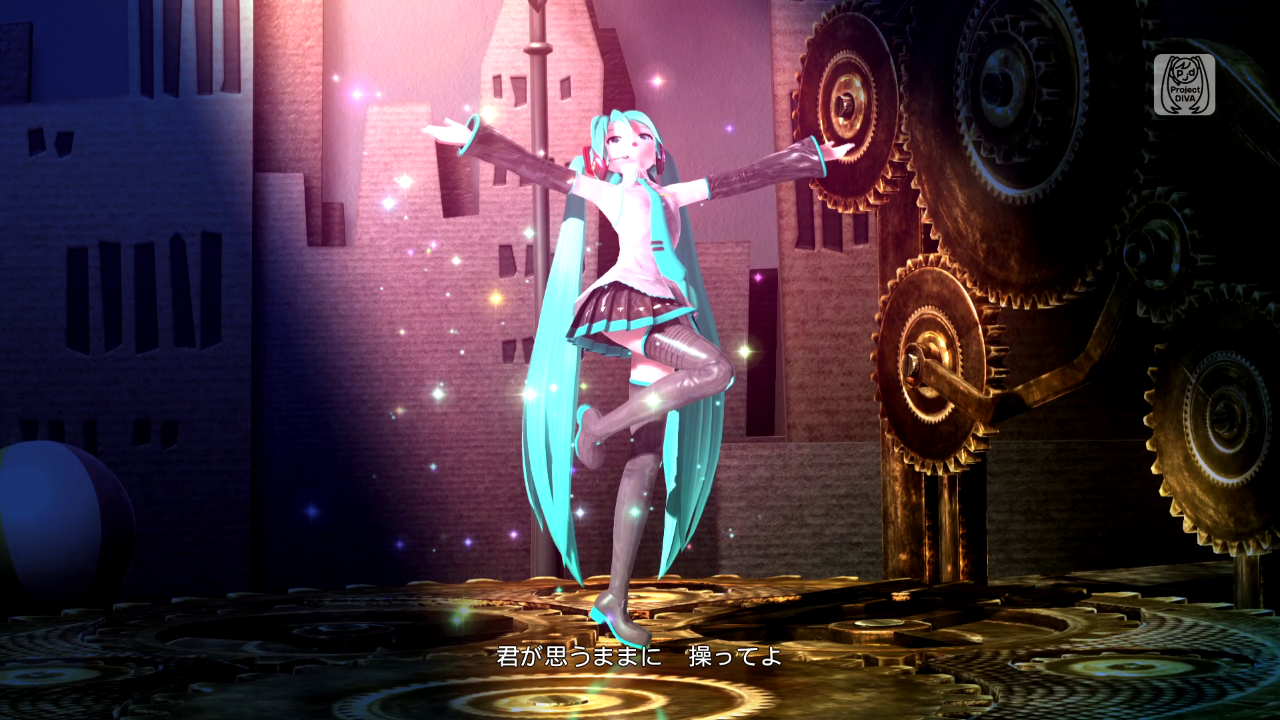
| Bloodborne by From Software | Hatsune Miku Project DIVA Future Tone by SEGA |
|---|---|
 |
 |
| Yakuza 0 by SEGA | DRIVECLUB™ by Evolution Studios |
|---|---|
 |
 |
General information
shadPS4 is an early PlayStation 4 emulator for Windows, Linux and macOS written in C++.
Important
This is the emulator core, which does not include a GUI. If you just want to use the emulator as an end user, download the QtLauncher instead.
If you encounter problems or have doubts, do not hesitate to look at the Quickstart.
To verify that a game works, you can look at shadPS4 Game Compatibility.
To discuss shadPS4 development, suggest ideas or to ask for help, join our Discord server.
To get the latest news, go to our X (Twitter) or our website.
You can donate to the project via our Kofi page.
Status
Important
shadPS4 is early in development, don't expect a flawless experience.
Currently, the emulator can successfully run games like Bloodborne, Dark Souls Remastered, Red Dead Redemption, and many other games.
Why
This project began for fun. Given our limited free time, it may take some time before shadPS4 can run more complex games, but we're committed to making small, regular updates.
Building
Windows
Check the build instructions for Windows.
Linux
Check the build instructions for Linux.
macOS
Check the build instructions for macOS.
Important
macOS users need at least macOS 15.4 to run shadPS4. Due to GPU issues there are currently heavy bugs on Intel Macs.
Usage examples
Important
For a user-friendly GUI, download the QtLauncher.
To get the list of all available commands and also a more detailed description of what each command does, please refer to the --help flag's output.
Below is a list of commonly used command patterns:
shadPS4 CUSA00001 # Searches for a game folder called CUSA00001 in the list of game install folders, and boots it.
shadPS4 --fullscreen true --config-clean CUSA00001    # the game argument is always the last one,
shadPS4 -g CUSA00001 --fullscreen true --config-clean # ...unless manually specified otherwise.
shadPS4 /path/to/game.elf # Boots a PS4 ELF file directly. Useful if you want to boot an executable that is not named eboot.bin.
shadPS4 CUSA00001 -- -flag1 -flag2 # Passes '-flag1' and '-flag2' to the game executable in argv.
Debugging and reporting issues
For more information on how to test, debug and report issues with the emulator or games, read the Debugging documentation.
Keyboard and Mouse Mappings
Note
Some keyboards may also require you to hold the Fn key to use the F* keys. Mac users should use the Command key instead of Control, and need to use Command+F11 for full screen to avoid conflicting with system key bindings.
| Button | Function |
|---|---|
| F10 | FPS Counter |
| Ctrl+F10 | Video Debug Info |
| F11 | Fullscreen |
| F12 | Trigger RenderDoc Capture |
Note
Xbox and DualShock controllers work out of the box.
| Controller button | Keyboard equivalent |
|---|---|
| LEFT AXIS UP | W |
| LEFT AXIS DOWN | S |
| LEFT AXIS LEFT | A |
| LEFT AXIS RIGHT | D |
| RIGHT AXIS UP | I |
| RIGHT AXIS DOWN | K |
| RIGHT AXIS LEFT | J |
| RIGHT AXIS RIGHT | L |
| TRIANGLE | Numpad 8 or C |
| CIRCLE | Numpad 6 or B |
| CROSS | Numpad 2 or N |
| SQUARE | Numpad 4 or V |
| PAD UP | UP |
| PAD DOWN | DOWN |
| PAD LEFT | LEFT |
| PAD RIGHT | RIGHT |
| OPTIONS | RETURN |
| BACK BUTTON / TOUCH PAD | SPACE |
| L1 | Q |
| R1 | U |
| L2 | E |
| R2 | O |
| L3 | X |
| R3 | M |
Keyboard and mouse inputs can be customized in the settings menu by clicking the Controller button, and further details and help on controls are also found there. Custom bindings are saved per-game. Inputs support up to three keys per binding, mouse buttons, mouse movement mapped to joystick input, and more.
Firmware files
shadPS4 can load some PlayStation 4 firmware files.
The following firmware modules are supported and must be placed in shadPS4's sys_modules folder.
| Modules | Modules | Modules | Modules |
|---|---|---|---|
| libSceCesCs.sprx | libSceFont.sprx | libSceFontFt.sprx | libSceFreeTypeOt.sprx |
| libSceJson.sprx | libSceJson2.sprx | libSceLibcInternal.sprx | libSceNgs2.sprx |
| libSceUlt.sprx |
Caution
The above modules are required to run the games properly and must be dumped from your legally owned PlayStation 4 console.
Main team
Logo is done by Xphalnos
Contributing
If you want to contribute, please read the CONTRIBUTING.md file.
Open a PR and we'll check it :)
Special Thanks
A few noteworthy teams/projects who've helped us along the way are:
-
Panda3DS: A multiplatform 3DS emulator from our co-author wheremyfoodat. They have been incredibly helpful in understanding and solving problems that came up from natively executing the x64 code of PS4 binaries
-
fpPS4: The fpPS4 team has assisted massively with understanding some of the more complex parts of the PS4 operating system and libraries, by helping with reverse engineering work and research.
-
yuzu: Our shader compiler has been designed with yuzu's Hades compiler as a blueprint. This allowed us to focus on the challenges of emulating a modern AMD GPU while having a high-quality optimizing shader compiler implementation as a base.
-
felix86: A new x86-64 → RISC-V Linux userspace emulator