 05df651cd8
* Add IME keyboard layout and panel metrics support
- Introduced new header and implementation files for IME keyboard layout handling.
- Added structures for viewport metrics, keyboard grid layout, and drawing parameters.
- Implemented functions to compute viewport and panel metrics for the IME dialog.
- Enhanced the IME dialog UI to utilize the new keyboard layout and metrics.
- Updated input handling to support new keyboard interactions and layout adjustments.
- Added caret management and text normalization features in the IME dialog state.
- Improved window positioning logic to accommodate different screen resolutions.
* fix for Maxos Linux builds
* Align IME behavior with real PS4 libSceIme/Dialog flow
Features:
- Add validation helpers for IME option/language/extended-option masks
- Implement `sceImeGetPanelSize` sizing logic
- Replace `sceImeSetTextGeometry` no-op path with real state/argument validation
- Align panel sizing/validation paths closer to PS4 IME behavior
- Improve panel text/caret handling reliability during UI updates
- Add IME panel movement via controller right stick
- Support mouse drag repositioning for the panel
- Respect `FIXED_POSITION` by disabling movement when locked
Updates:
- Tighten `sceImeOpen` checks (user/type/input method, handler, work alignment, reserved, overlap)
- Validate initial/runtime text rules (`\n`/`\r` and surrogate rejection) in open/set-text paths
- Enforce caret bounds and null-caret behavior in `sceImeSetCaret`
- Update `sceImeUpdate` to return `NOT_OPENED` in invalid states and respect handler matching
- Harden `ImeHandler` against null state/callback execution paths
- Optimize keyboard grid rendering by reusing per-frame buffers
- Reduce input callback allocations with fixed-size buffers
- Harden panel update paths for invalid handler/open-state cases
- Clamp panel position to visible screen bounds
- Apply stick deadzone/speed scaling for stable movement
- Keep panel coordinates consistent with IME coordinate mode
* 🤦♂️
* Enhance IME UI and Input Handling
- Introduced BrightenColor function to adjust color brightness for UI elements.
- Improved UTF-16 character handling with new functions to count UTF-16 units and reject input based on UTF-16 limits.
- Added functionality to clamp input buffer to UTF-16 limits, ensuring text input does not exceed specified limits.
- Refactored virtual pad input handling to encapsulate left stick directions and panel movement.
- Enhanced IME UI drawing logic to incorporate new input handling and navigation features.
- Updated keyboard layout handling to support dynamic configurations and improved navigation shortcuts.
- Integrated additional font ranges for better language support in the IME, including Chinese, Arabic, and Thai.
- Improved overall code structure and readability by utilizing modern C++ features such as std::vector and std::array.
* Remove non existing Roboto Medium font from IME initialization
* Enhance IME Dialog and UI with Improved Gamepad Navigation and Key Mapping
- Added support for disabling gamepad input through OrbisImeDisableDevice in ImeDialogState.
- Updated ImeKbLayout to modify key mappings for better character input, including changes to punctuation keys.
- Implemented enhanced left stick navigation with repeat functionality in ImeUi, allowing for smoother input handling.
- Introduced new constants for stick navigation delays and repeat intervals to improve responsiveness.
- Refactored input handling logic to accommodate both virtual and gamepad inputs, ensuring consistent behavior across devices.
- Added functionality to clear all text in the input field with a specific shortcut, aligning with expected user behavior.
* clang
* Enhance IME functionality with improved gamepad navigation and layout handling
* ime: fix specials/accent layout mapping and dynamic panel resize handling
- Expand specials/accent keyboard layouts to a 7-row model and move function keys to fixed bottom rows.
- Add variable row-height support to the keyboard grid (`fixed_bottom_rows`, `bottom_row_h`) and compute row offsets/span heights from layout config.
- Preserve function-row height in `ime_ui` and `ime_dialog_ui` while distributing remaining height across typing rows.
- Make mode-switch focus layout-driven by resolving `SymbolsMode`/`SpecialsMode` action keys in the active layout instead of relying on implicit row assumptions.
- Track panel layout anchor deltas in `ime_dialog_ui` and use press-offset dragging so cursor remains on the originally pressed point when panel dimensions/position change.
* Add IME UI enhancements and shared utilities
- Introduced new states for panel navigation and selector fade in `ime_ui.h`.
- Added a new header file `ime_ui_shared.h` containing utility functions and structures for virtual pad input handling, including deadzone application and stick navigation direction resolution.
- Updated `font_stack.cpp` to include additional Unicode ranges for general punctuation in the font atlas.
* Refactor IME settings: remove deprecated accessibility options and update references to use new settings structure
* Refactor IME UI Navigation and Activation Logic
- Introduced a new mechanism for handling virtual button repeat actions, improving responsiveness for gamepad navigation.
- Added support for stick navigation with adjustable repeat rates and initial delays, enhancing user experience during input.
- Removed the ImeSelectorFadeState structure and related logic to streamline the IME keyboard layout drawing process.
- Simplified the activation logic for menus, ensuring that menu activation is more intuitive and responsive to user input.
- Adjusted the navigation threshold for stick inputs to improve sensitivity and control.
- Cleaned up the code by removing unused variables and consolidating repeated logic into reusable functions.
* Refactor IME UI shared header: streamline code and improve structure
- Removed unused includes and redundant structures.
- Consolidated virtual pad snapshot handling and input state management.
- Introduced new structures for OSK pad input and navigation handling.
- Updated function signatures for clarity and consistency.
- Enhanced keyboard parameter application for OSK shortcuts.
- Improved overall readability and maintainability of the code.
* Refactor OskShortcutActionResult to simplify triangle button press handling
* Enhance IME Keyboard Layout and UI Functionality
- Added new key glyphs for Shift and Caps Lock in ime_kb_layout.h.
- Improved keyboard navigation logic to skip non-action keys.
- Introduced new constants for selector IDs in ime_ui.cpp for better readability.
- Refactored keyboard row and column clamping logic for clarity.
- Enhanced selector drawing logic with fade and pulse effects for better user feedback.
- Implemented functions for cycling keyboard case states and toggling keyboard family modes.
- Added functionality to focus on keyboard action keys based on their actions.
- Improved edit menu handling with new templated functions for better code reuse.
- Updated caret blinking logic to improve text input experience.
- Expanded symbol ranges in font_stack.cpp to include keyboard symbols.
---------
Co-authored-by: w1naenator <valdis.bogdans@hotmail.com>
|
||
|---|---|---|
| .ci | ||
| .github | ||
| cmake | ||
| dist | ||
| documents | ||
| externals | ||
| LICENSES | ||
| scripts | ||
| src | ||
| tests | ||
| .gitignore | ||
| .gitmodules | ||
| CMakeDarwinPresets.json | ||
| CMakeLinuxPresets.json | ||
| CMakeLists.txt | ||
| CMakePresets.json | ||
| CMakeSettings.json | ||
| CMakeWindowsPresets.json | ||
| CONTRIBUTING.md | ||
| flake.lock | ||
| flake.nix | ||
| LICENSE | ||
| README.md | ||
| REUSE.toml | ||
| shell.nix | ||

shadPS4





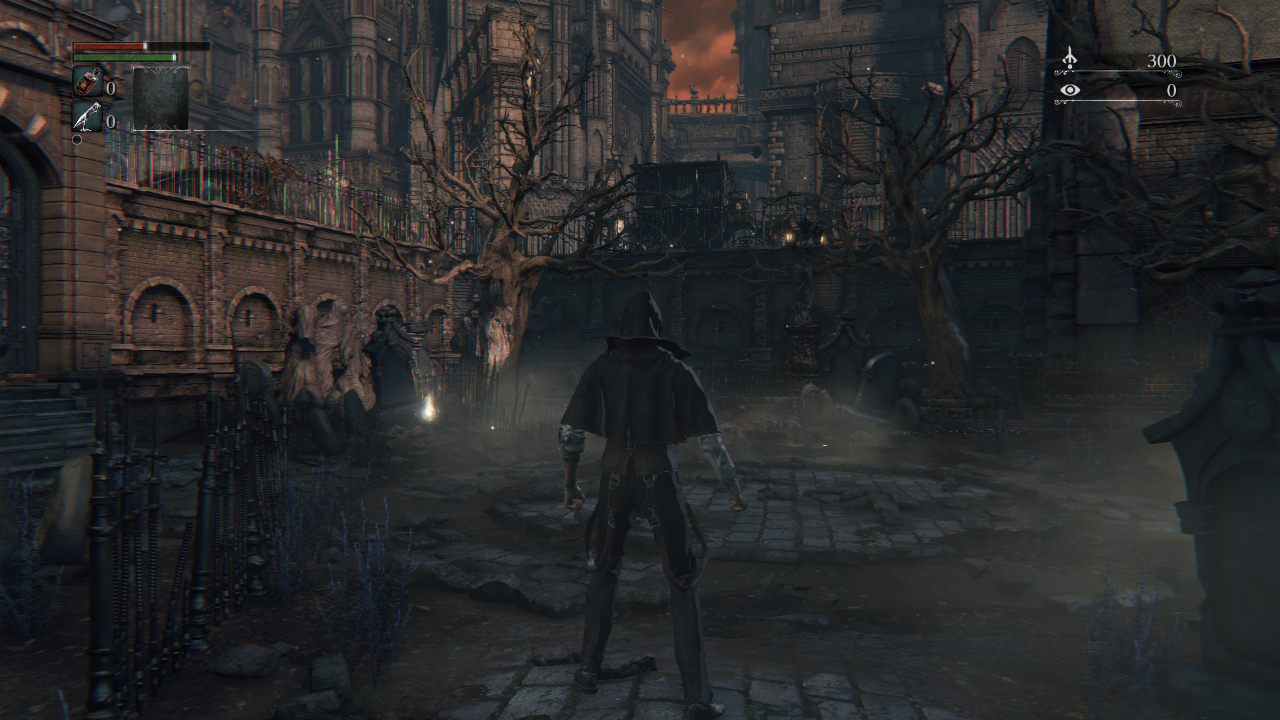
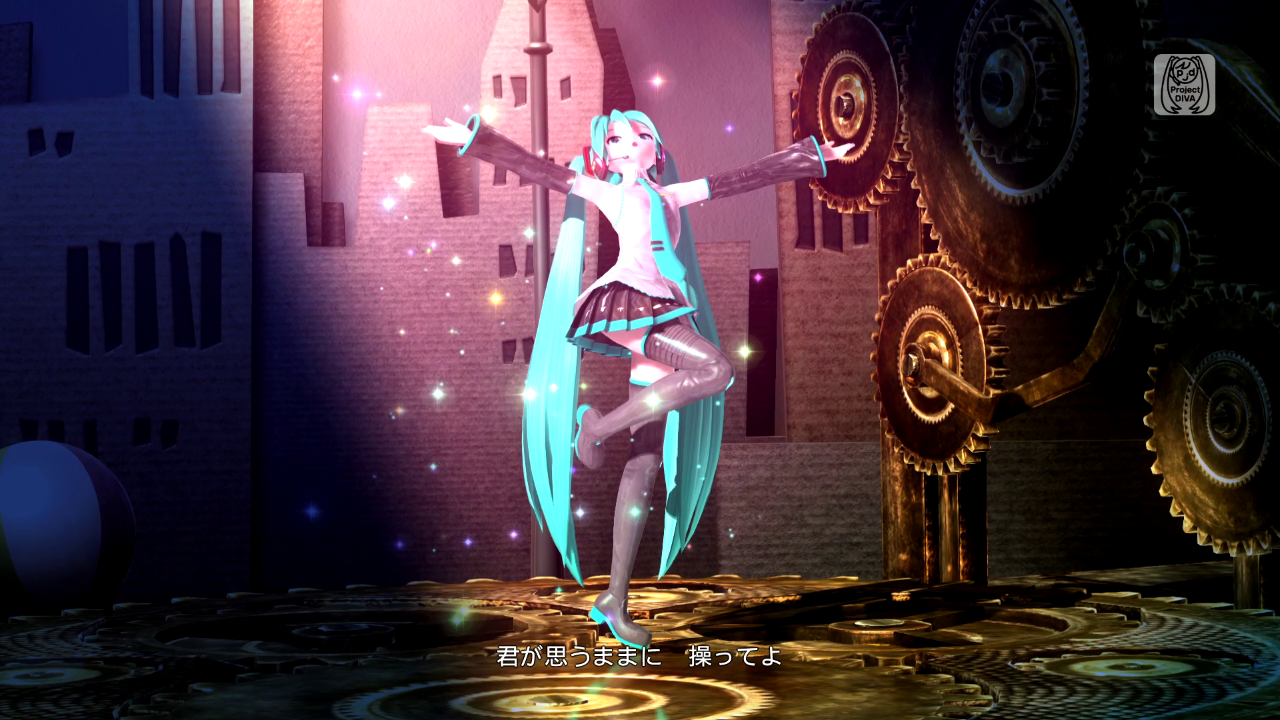
| Bloodborne by From Software | Hatsune Miku Project DIVA Future Tone by SEGA |
|---|---|
 |
 |
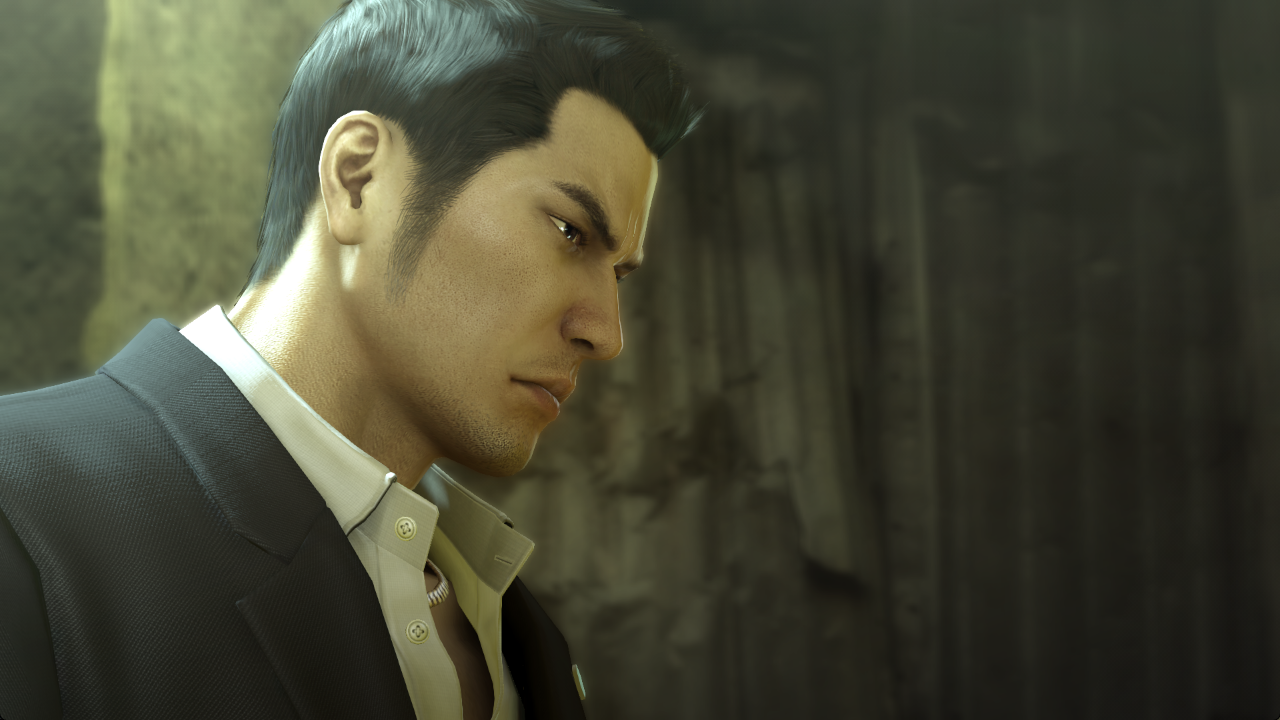
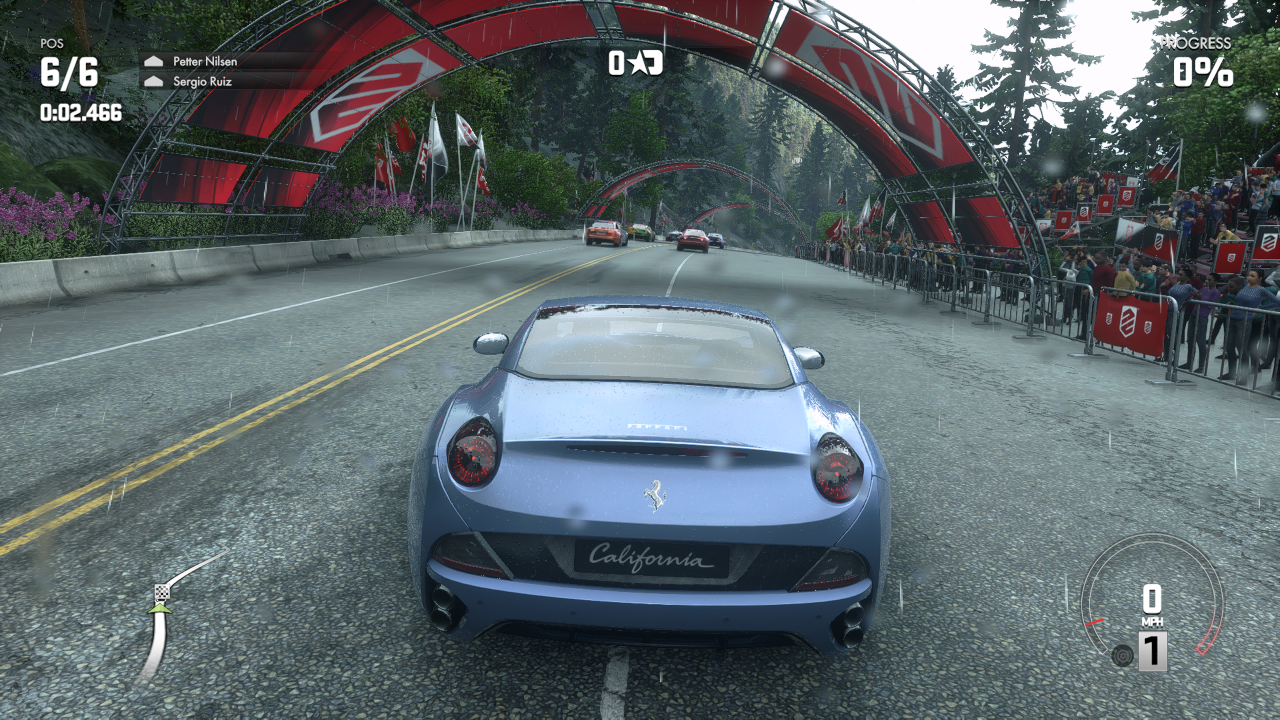
| Yakuza 0 by SEGA | DRIVECLUB™ by Evolution Studios |
|---|---|
 |
 |
General information
shadPS4 is an early PlayStation 4 emulator for Windows, Linux and macOS written in C++.
Important
This is the emulator core, which does not include a GUI. If you just want to use the emulator as an end user, download the QtLauncher instead.
If you encounter problems or have doubts, do not hesitate to look at the Quickstart.
To verify that a game works, you can look at shadPS4 Game Compatibility.
To discuss shadPS4 development, suggest ideas or to ask for help, join our Discord server.
To get the latest news, go to our X (Twitter) or our website.
You can donate to the project via our Kofi page.
Status
Important
shadPS4 is early in development, don't expect a flawless experience.
Currently, the emulator can successfully run games like Bloodborne, Dark Souls Remastered, Red Dead Redemption, and many other games.
Why
This project began for fun. Given our limited free time, it may take some time before shadPS4 can run more complex games, but we're committed to making small, regular updates.
Building
Docker
For building shadPS4 in a containerized environment using Docker and VSCode, check the instructions here:
Docker Build Instructions
Windows
Check the build instructions for Windows.
Linux
Check the build instructions for Linux.
macOS
Check the build instructions for macOS.
Important
macOS users need at least macOS 15.4 to run shadPS4. Due to GPU issues there are currently heavy bugs on Intel Macs.
Usage examples
Important
For a user-friendly GUI, download the QtLauncher.
To get the list of all available commands and also a more detailed description of what each command does, please refer to the --help flag's output.
Below is a list of commonly used command patterns:
shadPS4 CUSA00001 # Searches for a game folder called CUSA00001 in the list of game install folders, and boots it.
shadPS4 --fullscreen true --config-clean CUSA00001    # the game argument is always the last one,
shadPS4 -g CUSA00001 --fullscreen true --config-clean # ...unless manually specified otherwise.
shadPS4 /path/to/game.elf # Boots a PS4 ELF file directly. Useful if you want to boot an executable that is not named eboot.bin.
shadPS4 CUSA00001 -- -flag1 -flag2 # Passes '-flag1' and '-flag2' to the game executable in argv.
Debugging and reporting issues
For more information on how to test, debug and report issues with the emulator or games, read the Debugging documentation.
Keyboard and Mouse Mappings
Note
Some keyboards may also require you to hold the Fn key to use the F* keys. Mac users should use the Command key instead of Control, and need to use Command+F11 for full screen to avoid conflicting with system key bindings.
| Button | Function |
|---|---|
| F10 | FPS Counter |
| Ctrl+F10 | Video Debug Info |
| F11 | Fullscreen |
| F12 | Trigger RenderDoc Capture (or game-only screenshot if RenderDoc is unavailable) |
| Alt+F12 | Capture screenshot including HUD/dialog overlays |
Note
Xbox and DualShock controllers work out of the box.
| Controller button | Keyboard equivalent |
|---|---|
| LEFT AXIS UP | W |
| LEFT AXIS DOWN | S |
| LEFT AXIS LEFT | A |
| LEFT AXIS RIGHT | D |
| RIGHT AXIS UP | I |
| RIGHT AXIS DOWN | K |
| RIGHT AXIS LEFT | J |
| RIGHT AXIS RIGHT | L |
| TRIANGLE | Numpad 8 or C |
| CIRCLE | Numpad 6 or B |
| CROSS | Numpad 2 or N |
| SQUARE | Numpad 4 or V |
| PAD UP | UP |
| PAD DOWN | DOWN |
| PAD LEFT | LEFT |
| PAD RIGHT | RIGHT |
| OPTIONS | RETURN |
| BACK BUTTON / TOUCH PAD | SPACE |
| L1 | Q |
| R1 | U |
| L2 | E |
| R2 | O |
| L3 | X |
| R3 | M |
Keyboard and mouse inputs can be customized in the settings menu by clicking the Controller button, and further details and help on controls are also found there. Custom bindings are saved per-game. Inputs support up to three keys per binding, mouse buttons, mouse movement mapped to joystick input, and more.
Firmware files
shadPS4 can load some PlayStation 4 firmware files.
The following firmware modules are supported and must be placed in shadPS4's sys_modules folder.
| Modules | Modules | Modules | Modules |
|---|---|---|---|
| libSceAudiodec.sprx | libSceCesCs.sprx | libSceFont.sprx | libSceFontFt.sprx |
| libSceFreeTypeOt.sprx | libSceJpegDec.sprx | libSceJpegEnc.sprx | libSceJson.sprx |
| libSceJson2.sprx | libSceLibcInternal.sprx | libSceNgs2.sprx | libScePngEnc.sprx |
| libSceRtc.sprx | libSceSystemGesture.sprx | libSceUlt.sprx |
Caution
The above modules are required to run the games properly and must be dumped from your legally owned PlayStation 4 console.
Main team
Logo is done by Xphalnos
Contributing
If you want to contribute, please read the CONTRIBUTING.md file.
Open a PR and we'll check it :)
Special Thanks
A few noteworthy teams/projects who've helped us along the way are:
-
Panda3DS: A multiplatform 3DS emulator from our co-author wheremyfoodat. They have been incredibly helpful in understanding and solving problems that came up from natively executing the x64 code of PS4 binaries
-
fpPS4: The fpPS4 team has assisted massively with understanding some of the more complex parts of the PS4 operating system and libraries, by helping with reverse engineering work and research.
-
yuzu: Our shader compiler has been designed with yuzu's Hades compiler as a blueprint. This allowed us to focus on the challenges of emulating a modern AMD GPU while having a high-quality optimizing shader compiler implementation as a base.
-
felix86: A new x86-64 → RISC-V Linux userspace emulator
-
emudev.org: A network of people interested in the documentation, emulation, simulation and re-implementation of hardware near extinction . Belongs to my friend skmp and me (shadow) also a member of it